Long time no see, this is woudon.
Lighting before bed and when waking up is really important, isn’t it?
Don’t you want to live a life where the room naturally brightens up before your alarm goes off to gently wake you up?
(Though in the end, I still can’t wake up.)
For everyday practical use, I highly recommend a custom component called Adaptive Lighting.
And when having drinks with friends? You can also turn the atmosphere into a party vibe like this:
↓ Replacing the fixture’s regular bulbs with smart bulbs
So, here is how to set up and control affordable Tapo smart bulbs using Home Assistant.
I configured this using the Japanese version of the app, so the translation might be incorrect.
Choosing the Bulb
Honestly, Matter-compatible bulbs would have been the most convenient, but since they are hardly available, I decided on the budget-friendly Tapo series.
Please refer to here for the list of supported devices.
I bought L530E. While a successor model is out, it didn’t look like the integration supported it yet, so I settled on this one.
Tapo L530E (https://amzn.asia/d/06kGXaOw)
Setup in the Tapo App
Open the Tapo app and add the device.
Follow the on-screen instructions to complete the initial setup.
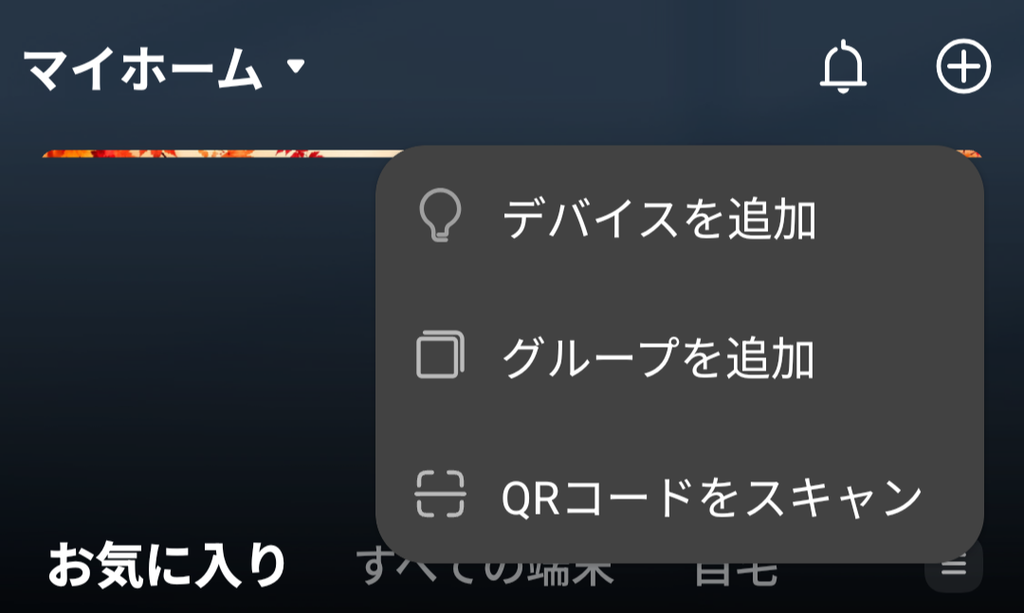
Once that is done, adjust a setting so it can be controlled via Home Assistant.
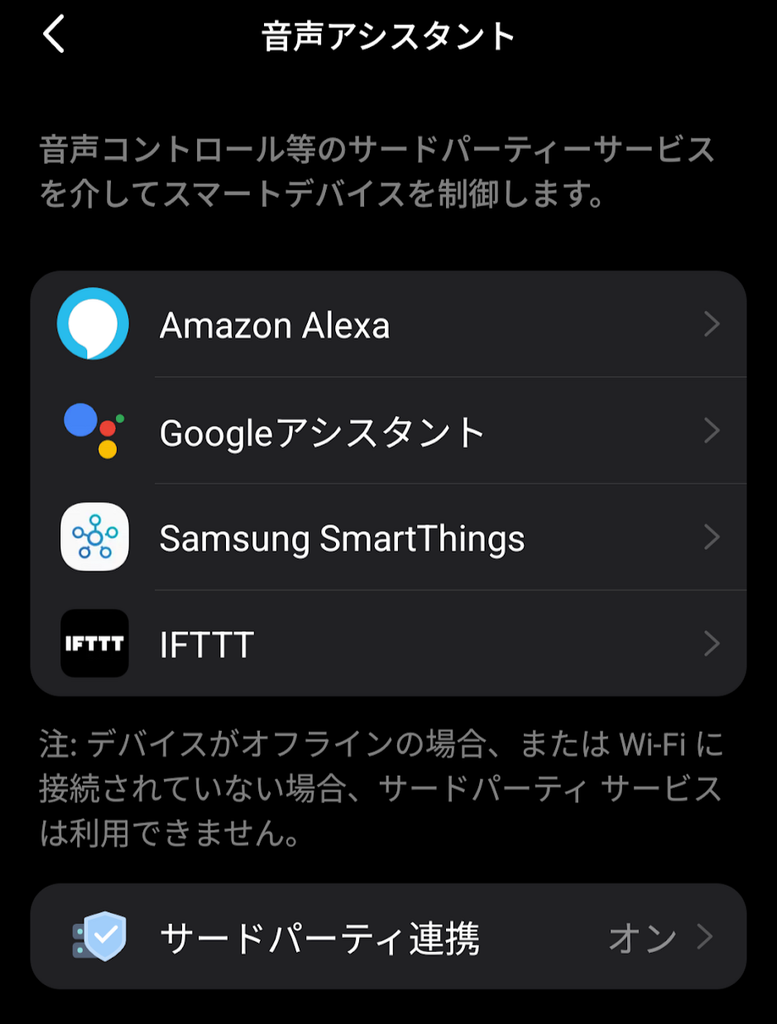
(You won’t be able to control it from Home Assistant without doing this.)
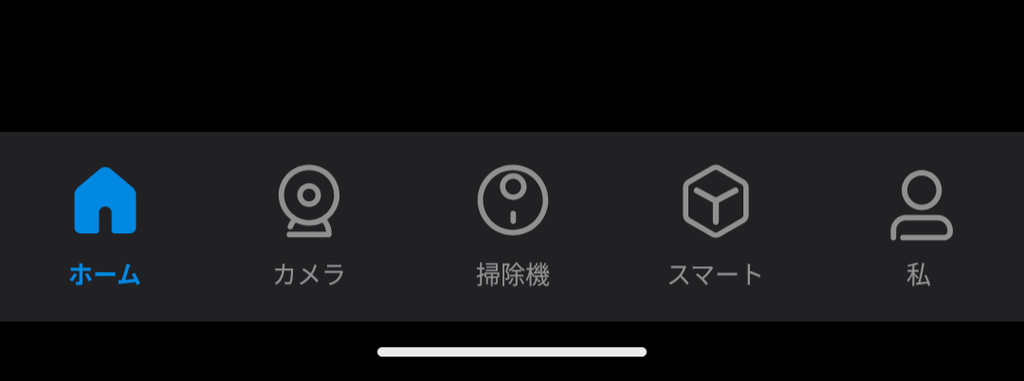
Navigate to the bottom tab: [Me]→[Voice Assistants]→Turn on[Third-Party Services].
Setup in Home Assistant
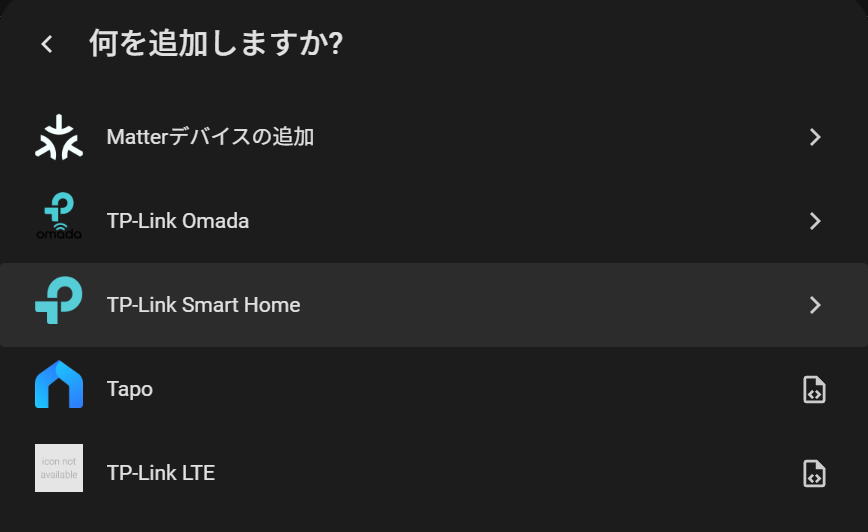
Go to [Settings] → [Devices & Services], and click Add Integration under the Integrations tab.
Search for TP-Link, and select either TP-Link Smart Home or Tapo.
(TP-Link Smart Home supports Tapo, so either choice works identically.)
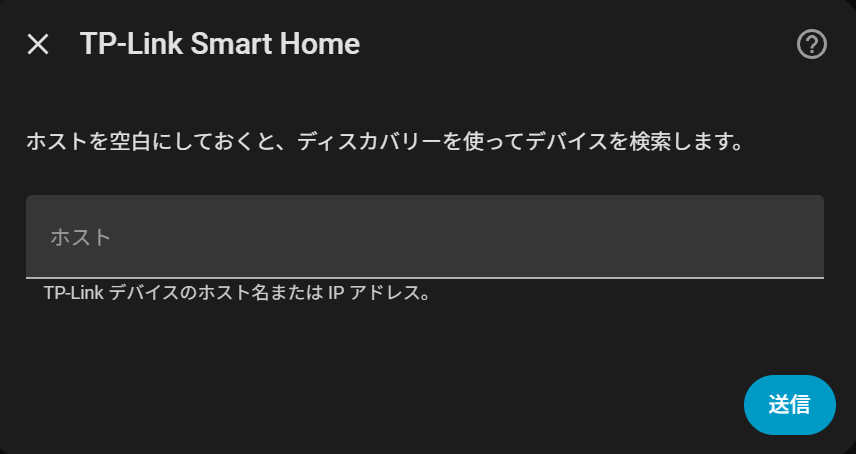
If you leave the Host field blank and submit, Home Assistant will automatically detect devices on your local network.
A list of detected devices will appear. Select the device you want to add, enter your TP-Link account credentials, and you’re all set.
Tip (When You Have Some Same Devices at Home)
If you have multiple identical devices on your network and cannot tell which is which from the device list, check the IP address using the Tapo app:
Select device in Home of Tapo app→Gear icon in the top right →Device Info
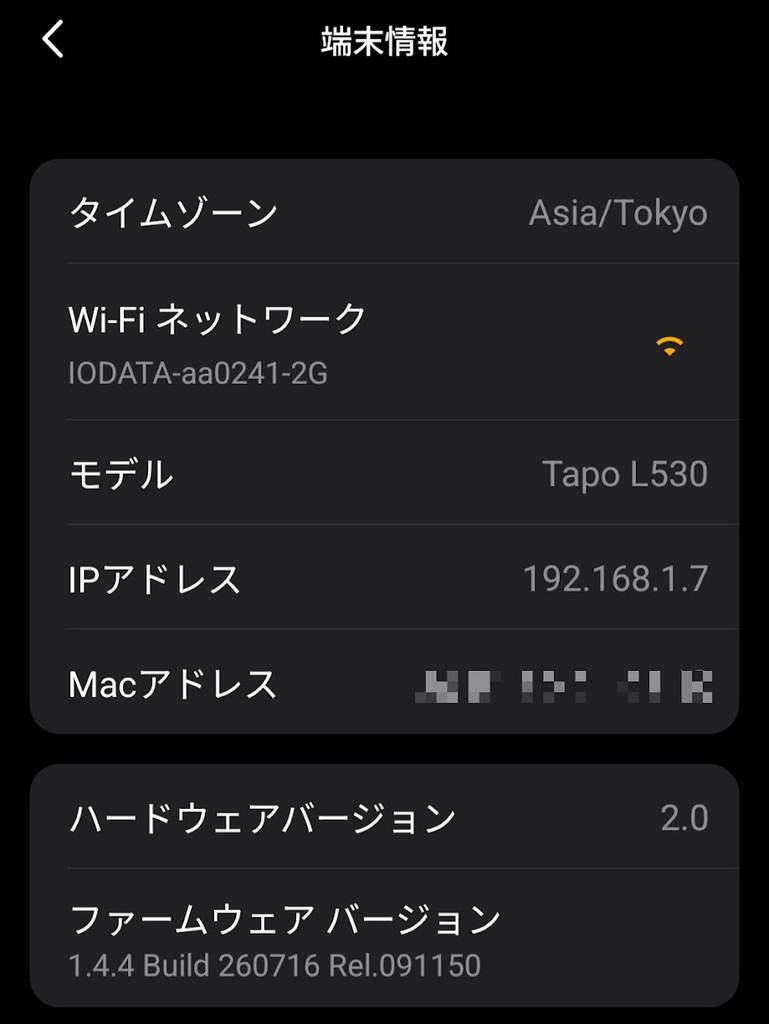
By the way, it feels like the connection to Home Assistant might drop if the IP address changes.
It might be a good idea to assign a static IP, so perhaps setting up a reservation on the router is the way to go…?
I wonder.
Wrap-up
In this post, I set up Tapo smart bulbs so they can be controlled through Home Assistant.
I really wish there were more affordable Matter-compatible options on the market, though…
Also, needless to say, I don’t normally have them running in “party mode” (obviously).
By using the Adaptive Lighting custom component available via HACS, the brightness and color temperature automatically adjust based on the time of day or the sun’s position(maybe).
You can also set up automations to automatically turn lights on or off using your smartphone’s alarms or sleep confidence.
Have fun tinkering around with it~
I’ll keep updating whenever I find some spare time.
Until next time!
コメント